Preview Page
From the language table of a batch, you can open the Preview Page for a given target language. This is the main workbench for AI speech editors.
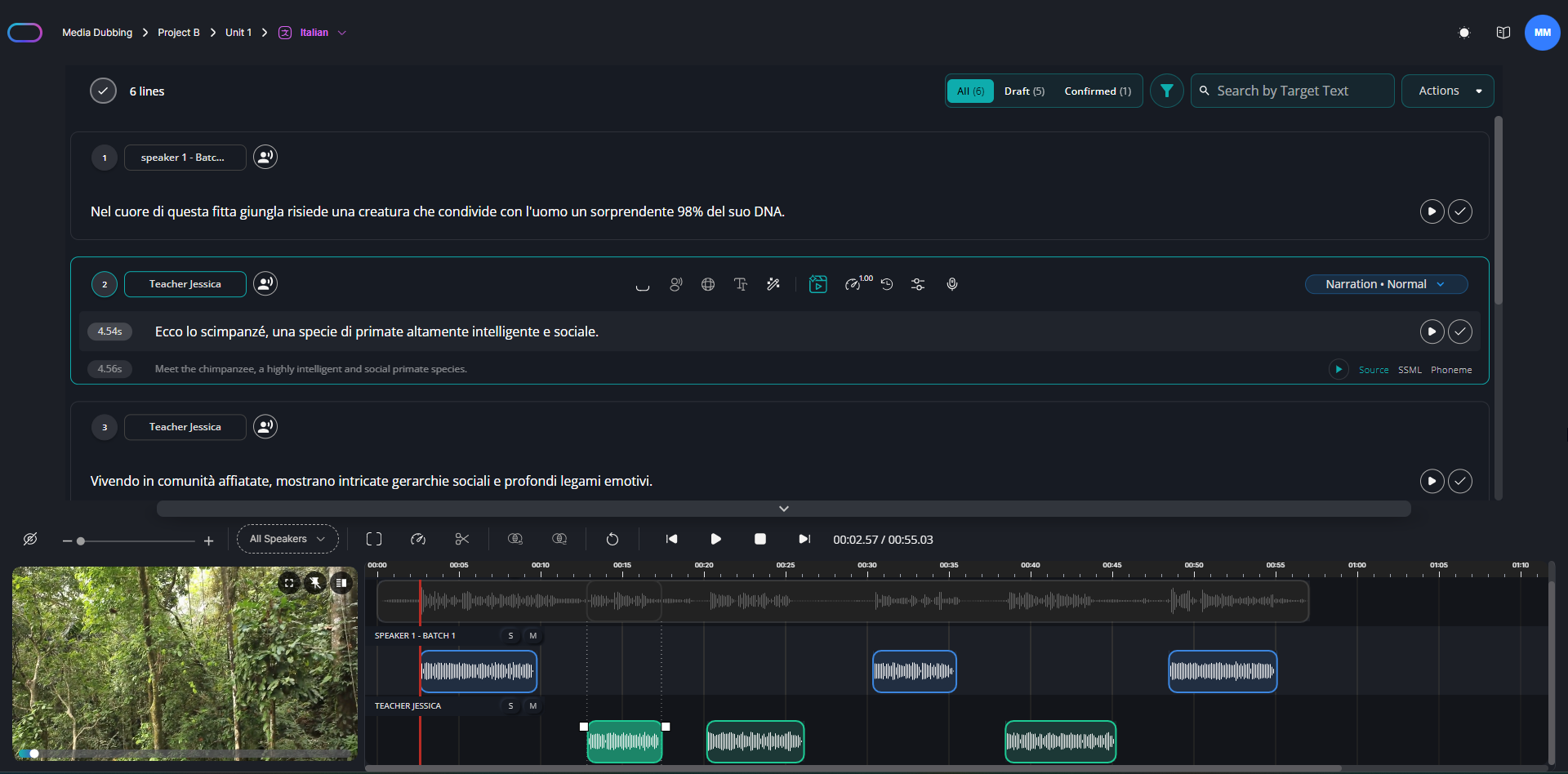
The Search Bar allows you to search for characters, source text, and target text. The Actions button provides a variety of options to help modify multiple lines.
Available Actions include:
Confirm Selected Lines
Use this action to confirm all selected lines from the workspace below. Lines can't be confirmed without inference, so make sure that the inference has been run before performing this action. Once confirmed, the lines will become read-only.
Download
Several download options are available, either for the entire timeline or just the audio from confirmed or selected lines.
Infer Selected Lines
Click on this action to infer all selected lines simultaneously.
Edit Tempo Rate for selected
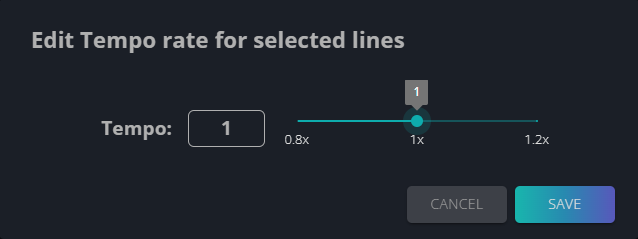
This action allows you to adjust the tempo of multiple lines simultaneously. First, select the desired lines, then click Edit Tempo Rate for Selected. Note that the lines must have already undergone inference to enable tempo editing. A new window will open in which you can set the desired tempo for the selected lines.
Edit Emotion for selected
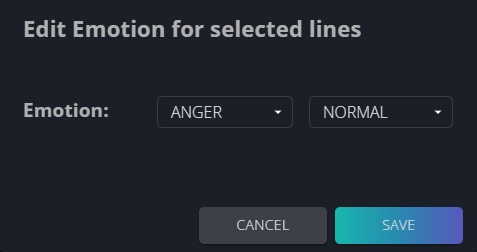
This action allows you to change the emotional prompt of multiple lines simultaneously. First, select the desired lines, then click Edit Emotion for Selected. A new window will open in which you can set the new emotional prompt for the selected lines.
Merge/Split Selected
These options allow you to either select multiple lines and merge them into one, or select a single line and split it in half.